
NBC 5 Chicago: News & Weather
NBCUniversal Media, LLCNews & Magazines
3.9994.00 Reviews
- Version
- 8.9
- Installs
- 100.00K
- Age Rating
- Everyone
Screenshots
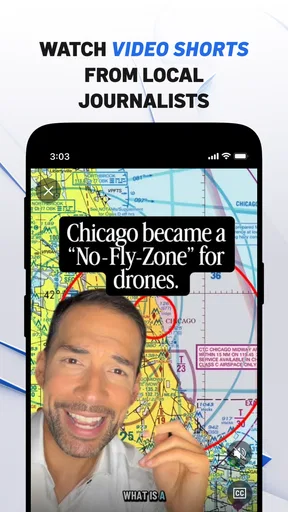
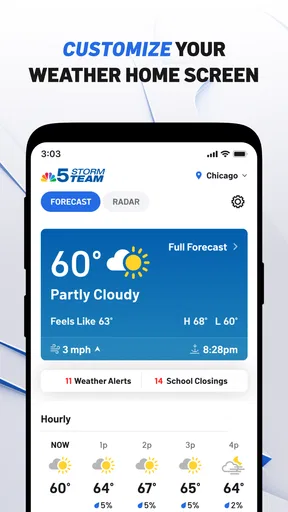
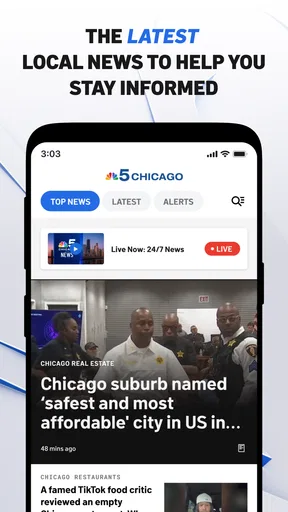
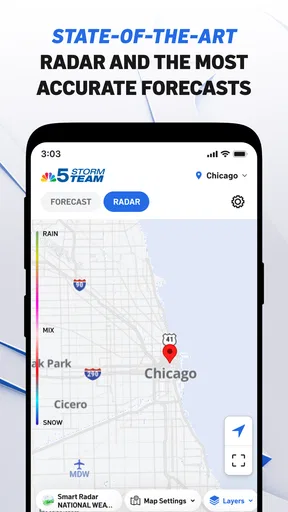
Our Review of NBC 5 Chicago: News & Weather
 Analysis by Appyee
I use local news apps differently from national news apps: I open them when the question is not “what is happening in the world?” but “what does this mean for my morning, my route, or my neighborhood?” NBC 5 Chicago: News & Weather is built for that narrower, more practical purpose. It brings Chicago-area reporting, weather information, alerts, and live NBC 5 Chicago coverage into one place, and I found that focus more useful than a crowded general-news feed when I needed local context quickly.
The app is free, aimed at Everyone, and comes from NBCUniversal Media, LLC. It belongs in the News & Magazines category rather than being a full replacement for every source of information on my phone. Its average rating is 3.9 from around 3K ratings, with over 100K installs, which suggests a reasonably established audience but also leaves room for mixed experiences. I would recommend trying it if Chicago is central to your daily life, while being clear that its value depends heavily on how much local NBC 5 coverage you actually want.
How the app handles reading, navigation, and different abilities
I look at reading, navigation, and accessibility as practical questions: can I find the Chicago information I need, understand it at my own pace, and use the format that suits the moment? In this section, I focus on how the app’s local-first approach can make a quick check feel more manageable, while noting why device settings and personal needs still matter.
A local-first layout that is easy to understand
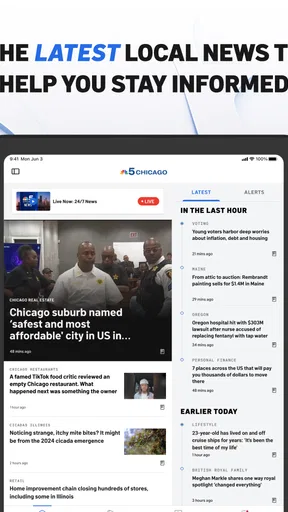
My first impression was that the app’s purpose is straightforward. Instead of asking me to build a complicated news system, it puts Chicago news and weather at the center. That matters for people who find broad feeds tiring or distracting. If I only have a minute before leaving home, I can think in terms of local headlines, current conditions, alerts, or live coverage rather than sorting through unrelated national stories.
That simplicity is also helpful for readers who prefer a clear information hierarchy. Local news apps can become frustrating when every section competes for attention, but this one makes more sense when used as a quick check-in tool. I would open it to scan the leading local stories, look for weather developments, and decide whether anything deserves a longer read. The experience is less about exploring endlessly and more about finding the information that affects Chicago residents now.
The strongest accessibility quality here is purpose-driven navigation: the app has a clear reason to exist, and that makes it easier to decide where to begin. Someone who gets overwhelmed by a large national news service may find a local outlet less mentally demanding. That does not mean every screen will suit every reader, but the narrow editorial focus gives the whole experience a useful anchor.
Reading works best when I choose the right moment
For written stories, I prefer using the app when I can give the screen my full attention. Local reporting often includes names, locations, warnings, and changing details, so skimming while walking or commuting is not ideal. The app is most useful when I pause somewhere safe, read the headline, and then decide whether the article contains information I need immediately.
People with visual processing difficulties may appreciate the ability to focus on one local story at a time rather than a huge stream of unrelated items. At the same time, anyone who depends on enlarged text, strong contrast, screen magnification, or a screen reader should judge the app on their own device. I would not assume that a clean news layout automatically guarantees a comfortable experience for every visual need. The practical test is whether headlines, article text, controls, and alert information remain understandable with the device settings you already rely on.
Why the live coverage option changes the experience
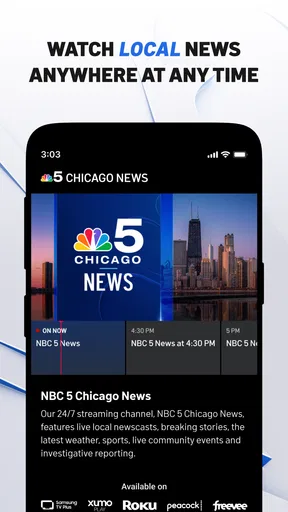
The live NBC 5 Chicago component gives the app a different rhythm from a normal article reader. When a major local story is developing, watching coverage can be more efficient than opening several written updates. It can also help viewers who understand information more easily through spoken explanation, images, or a presenter’s description than through dense paragraphs.
However, video is not universally easier. A person in a noisy environment may struggle to follow spoken coverage, while somebody with limited hearing may need dependable captions to get the same value from it. I treat live viewing as an additional route into the news, not as a replacement for readable text. The best experience comes from having a choice between watching and reading, especially when the story contains precise instructions or changing public-safety information.
Small habits that make navigation less demanding
I have found that the app works better when I use it with a simple routine instead of repeatedly browsing without a goal. I check the weather before planning an outing, scan local headlines at a calm time, and open live coverage only when an event genuinely calls for it. That reduces visual fatigue and prevents the app from becoming another endless source of notifications and interruptions.
For a family member who is less comfortable with smartphones, I would explain the app in three steps: check the local news, check weather information, and use live coverage when appropriate. That is a more realistic introduction than showing every available screen at once. The focused subject matter makes it easier to build confidence, particularly for someone who wants Chicago information but does not want to learn a complicated news platform.
Motor considerations during everyday use
Most news reading requires tapping, scrolling, and occasionally switching between written and video content. Those actions are manageable for many people, but they can become tiring for users with tremors, limited dexterity, joint pain, or one-handed use. I would avoid operating it while walking or carrying something, because local alerts and weather updates deserve deliberate reading anyway.
A useful workaround is to prepare the phone before a busy situation. I can check the forecast and important local headlines while seated, then use the app only when necessary during the day. This reduces repeated gestures and avoids trying to navigate a small screen in poor conditions. If a user depends on voice control or assistive touch features, compatibility should be tested directly rather than assumed from the app’s news-focused design.
Sensory load: useful urgency without constant pressure
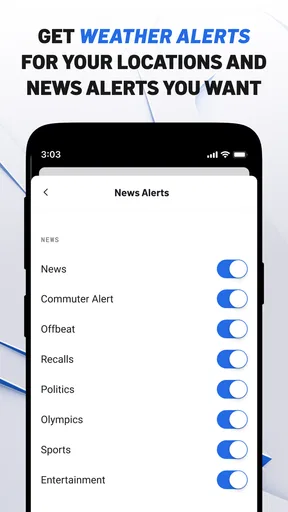
News and weather naturally involve urgency, and that can be helpful or stressful depending on the situation. A weather alert may provide exactly the warning someone needs, but repeated interruptions can also make an app feel demanding. I recommend treating alerts as a tool for specific needs, not as something that must dominate the day. If I am planning travel, outdoor work, or school pickup, timely weather information is valuable; if I am trying to concentrate, I prefer checking deliberately.
Live video can add another layer of sensory intensity through movement, sound, and changing images. Written updates are usually better when I need to absorb details slowly or when the surroundings are loud. Conversely, video may be more approachable for someone who finds long articles tiring. That contrast is one of the app’s practical strengths: it offers two different ways to approach local information, even though each has its own demands.
Using it in places where attention is limited
A realistic use case is a Chicago resident preparing for a morning trip across the city. I would check the local forecast before leaving, scan for a story that could affect the day, and then keep the app closed until I have a safe place to look again. This workflow is better than trying to read while transferring between trains or crossing streets. The app is useful in that scenario because it combines the local information I need, but it still requires responsible phone habits.
It can also help someone who wants a single local source during an unfolding event. Rather than switching between a national news service, a separate weather tool, and a television stream, I can begin with NBC 5 Chicago and decide whether its coverage answers my question. That convenience is especially valuable for people who have limited time, limited data-entry ability, or simply prefer fewer apps to manage.
For people outside the Chicago area, the situation is different. The app’s local focus becomes a limitation rather than an advantage. A national news app, a regional service for another city, or a dedicated weather application may be more relevant. I would also choose another source if I need broad international coverage, deep topic specialization, or a large collection of publications rather than one local newsroom’s perspective.
Weather information is most useful when paired with a decision
I do not use weather information just to satisfy curiosity. I use it to decide whether to bring extra clothing, change a route, delay an outdoor plan, or allow more time for travel. The app makes more sense when I connect its weather coverage to those decisions. A quick glance before leaving is practical; repeatedly refreshing without a plan adds little.
People with different sensory or cognitive needs may benefit from turning weather checking into a predictable routine. The same sequence each time—open the app, review the current conditions and relevant alert information, then close it—reduces the need to remember where everything is. It also helps separate genuinely important warnings from ordinary forecast browsing.
Where the app still creates friction
My main reservation is that local news apps are not automatically inclusive simply because they are focused. A person may still encounter dense headlines, fast-moving coverage, small controls, or information that changes before they have finished reading. Those issues matter more to users who need extra time, magnification, captions, reduced motion, or a slower pace.
I also would not rely on the app alone for every urgent decision. News reporting can provide useful context, but a person facing an immediate emergency should follow the appropriate official instructions for that situation. The app is a convenient local information source, not a substitute for personal safety judgment or every specialized service.
Another trade-off is attention. The combination of news, weather, alerts, and live coverage can be helpful, but it can also encourage frequent checking. For users sensitive to interruptions or anxiety-provoking content, a controlled routine is important. I would install it for local awareness, then decide carefully how often I want it to demand my attention.
What the version and device requirements mean in practice
The current version is 8.9, and the app requires at least iOS 9. That broad minimum makes it relevant to people who keep older Apple devices in service, although actual comfort will still depend on the phone’s screen, speed, battery condition, and the accessibility tools the user needs. A technically compatible device is not necessarily the most comfortable device for reading or watching live coverage.
Because it is free, there is little financial risk in testing it personally. I would spend a few minutes checking whether text is comfortable, whether controls are easy to reach, whether live content suits my hearing and vision needs, and whether the alert experience feels manageable. That short trial is more informative than relying on the average rating alone, since accessibility depends so much on individual settings and habits.
How it compares with familiar alternatives
Compared with a general news aggregator, NBC 5 Chicago feels more focused and less customizable. That is a benefit when I want local relevance without building a feed, but a disadvantage when I want many viewpoints or subjects in one place. Compared with a dedicated weather app, it is more useful for combining forecast awareness with Chicago reporting, yet a specialist weather tool may be preferable for people who need highly detailed weather planning.
Compared with watching a television broadcast directly, the app is more convenient for checking information on demand. It fits short sessions better than sitting down for a full program. Still, a television or larger screen may be easier for someone who has difficulty reading a phone or holding it steady. The app’s live option is therefore best understood as portable access, not a universal replacement for every viewing setup.
Compared with social media, it offers a more deliberate starting point for local information. Social platforms can surface eyewitness material quickly, but they can also be noisy and difficult to evaluate. I prefer beginning with this app when I want a calmer local-news check, then seeking additional sources if the story is important enough to require broader confirmation.
Who I would recommend it to
I would recommend NBC 5 Chicago: News & Weather to Chicago-area residents who want local headlines and weather information in one free app, especially people who value the option of watching live NBC 5 Chicago coverage. It is also a sensible choice for someone who finds a national news feed too broad and wants a more geographically relevant starting point.
I would be more cautious about recommending it to someone who needs advanced accessibility support without compromise, because the real experience depends on how the app behaves with that person’s device settings and preferred assistive tools. I would also steer away users who mainly want international news, specialist reporting, or a highly detailed weather workstation. In those cases, another service may be a better primary tool, with this app serving only as a local supplement.
My inclusive verdict after using it
What I like most is the app’s practical local identity. It gives me a clear reason to open it: understand what is happening around Chicago, check weather conditions, or watch local coverage when a story is moving quickly. That focus supports different habits because I can read, watch, or make a short information check instead of committing to one long format.
What keeps it from being an automatic recommendation for everyone is the gap between a focused design and truly effortless access. Reading pace, motor control, hearing, vision, sensitivity to alerts, and the physical setting all affect whether the app feels comfortable. I would test it with the accessibility settings I already use and build a routine around purposeful checks rather than constant browsing.
For me, NBC 5 Chicago: News & Weather is a useful local companion, not an all-purpose news system. Its free access, Chicago-centered coverage, weather alerts, and live viewing option make it worth trying for residents who want convenient local awareness. Its best quality is giving people several ways to reach the same local information, while its main weakness is that each format still places different demands on the user. If Chicago news is what I need most, I would keep it installed; if my needs are broader or highly specialized, I would pair it with—or choose instead—a more suitable service.
Verdict
Strengths of NBC 5 Chicago: News & Weather
- Live local news, weather alerts, and traffic updates in one app.
- Personalized forecasts help you prepare for changing Chicago conditions.
- Breaking-news notifications keep you informed throughout the day.
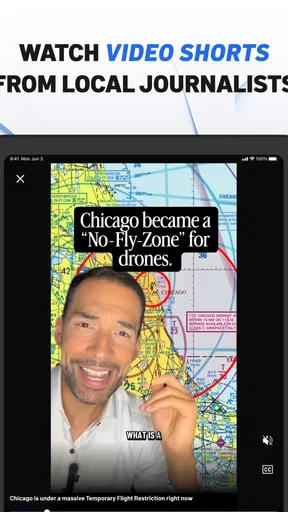
- Video reports provide useful context beyond short written headlines.
- Includes coverage for Chicago neighborhoods and nearby communities.
Limitations of NBC 5 Chicago: News & Weather
- Frequent notifications may feel excessive unless carefully customized.
- Some video and live-stream features require a stable internet connection.
- Advertising can interrupt browsing and reduce the reading space.
- Coverage is mainly regional and less useful outside the Chicago area.
- Certain content may open slowly during major breaking-news events.
Other Releases by NBCUniversal Media, LLC
View All
NBC Sports
Sports3.6

The NBC App - Stream TV Shows
Entertainment4.2

Universal Studios Hollywood
Travel & Local3.3

Noticias Telemundo
News & Magazines4.5
Similar Picks in This Category
View All
Google News - Daily Headlines
Google LLC4.0

X
X Corp.4.8

Flipboard:Your Social Magazine
Flipboard3.4

Opera News: breaking & local
Opera4.5

Hindi News by Dainik Bhaskar
Dainik Bhaskar Group4.0

Way2News Daily News App
Way2News ( Formerly Way2SMS )4.6
Frequently Asked Questions
What is NBC 5 Chicago: News & Weather?
NBC 5 Chicago: News & Weather is the official mobile app for Chicago’s NBC 5 station. It provides local and breaking news, live updates, weather forecasts, radar maps, severe weather alerts, traffic information, and video content. The app is designed for users who want quick access to Chicago-area coverage and personalized weather information while traveling or at home.
Is the NBC 5 Chicago app free to download and use?
Yes, the app is generally free to download and use on compatible Android and iOS devices. Most news stories, weather forecasts, alerts, and videos can be accessed without a subscription. However, the app may contain advertising, and some live-streaming features or content availability can depend on your location, broadcasting rights, internet connection, or current NBC policies.
What weather features are included in the app?
The weather section typically includes current conditions, hourly and extended forecasts, interactive radar, temperature information, and severe weather alerts for the Chicago area and other selected locations. During storms, users can receive timely notifications and follow changing conditions. Location permissions may be requested so the app can automatically display forecasts for your current area.
Can I watch live news or receive breaking-news notifications?
The app may offer live news coverage, local newscasts, video reports, or streaming updates when those features are available in your region. It also supports breaking-news notifications, allowing users to receive important local headlines and severe weather information. Streaming quality depends on your connection, while notification settings can be adjusted through the app or your device settings.
What permissions and internet connection does the app require?
NBC 5 Chicago: News & Weather requires an internet connection to load articles, videos, radar data, advertisements, and live updates. It may request permission to use your location for local forecasts and alerts, and it can send push notifications for breaking news or weather emergencies. You can deny optional permissions, although doing so may limit personalized features.
